




An online school study planner for students should make the next step clear without filling every hour. Start with fixed class times and due dates, then add independent work, breaks, and a realistic stopping point. The best plan is one a student can understand and return to throughout the week.
Ask about online learning options
What should a study planner help a student do?
A planner is a practical map, not a second set of school instructions. It brings key dates, class commitments, and next actions together so the student can answer four questions: What is fixed? What needs to be completed? When will I work on it? What should I do if I get stuck?
Keep the system easy to check. A paper calendar, digital calendar, or short list can all work. Choose a format the student can access during the normal school routine, and decide where assignments will be recorded. If dates are scattered across messages, notebooks, and apps, the student may spend more time finding the plan than using it.
For a program with live lessons, enter those class periods before scheduling flexible work. Ideal School’s full-day program information describes daily live instruction across core subjects. Families can use that page to form questions about how a structured class schedule could fit their home routine; do not assume every online program follows the same pattern.
A planner should also show a clear action, not just a subject name. “Science” is hard to act on. “Read the assigned section and write down one question” tells the student where to begin. If the student opens the plan and still cannot identify a first step, simplify the entry or break it into smaller actions.
How do you build a realistic weekly plan?
Build the week in layers. First identify commitments that cannot move. Then fit flexible tasks around them. This order makes conflicts visible before the planner fills up and helps a family avoid treating every assignment as if it needs a fixed appointment.
- Gather the week’s information. Check class schedules, assignment directions, due dates, appointments, and recurring activities. Record only confirmed details. If a direction or deadline is unclear, mark it as a question rather than guessing.
- Separate fixed time from flexible work. A live class or appointment belongs at its set time. Reading, practice, and project work may be scheduled in an open block, subject to the teacher’s directions.
- Turn large tasks into smaller actions. For a project, list actions such as choose a topic, gather class materials, make an outline, draft, and review. Give each action a result that can be recognized as complete.
- Estimate work time from experience. Begin with a reasonable estimate based on similar assignments. Treat it as a draft, not a promise. If the student needs longer, revise the plan and use that information next time.
- Place focused work thoughtfully. Consider when the learner is usually ready to concentrate and whether another demanding task comes immediately before it. Change the order when a planned block repeatedly proves difficult.
- Add meals, transitions, and breaks. Allow time away from the screen, for movement, and to gather materials for the next activity. A transition is part of the schedule, not wasted time.
- Review the plan with the student. Ask what looks crowded, which directions need clarification, and where support may be useful. Make changes together before the week begins.
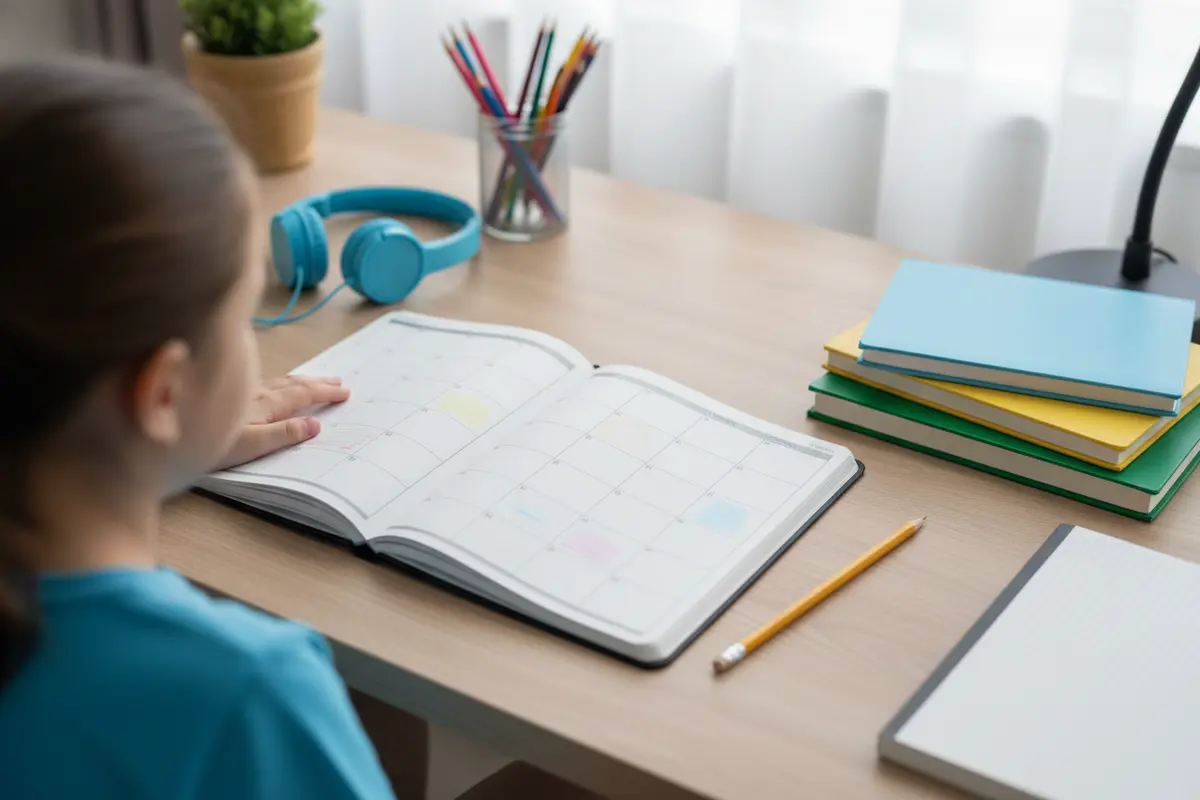
Consider a science assignment due Friday. The student might schedule reading and a question list on Tuesday, the assigned activity on Wednesday, and a check of the directions and submission on Thursday. The steps leave room to notice a confusing instruction before the last day. A shorter task may need only one block; follow the actual directions rather than forcing every assignment into the same template.
A weekly overview can show the big picture, while a daily list can point to immediate actions. The overview holds due dates and fixed commitments. The daily view answers, “What do I start now?” Use one as the main source and keep the other simple. Duplicating every detail can create conflicting versions.
What belongs in the daily view?
Include enough detail to support action, but not so much that the page becomes a wall of text. A useful daily entry usually names the task, the first action, and any important timing or materials.
- Scheduled classes, with start times and materials to have ready.
- Assignments, their due dates, and the next specific action.
- Books, links, or supplies needed to begin.
- Breaks, meals, and the planned end of schoolwork.
- A simple way to mark completion, such as a check box.
- Questions to bring to a teacher or family member.
Try to keep one main place for the student’s task list. A digital option may be convenient if the learner already checks a device for class. A visible paper page may be easier for a student who likes to scan the day’s work away from the screen. The format matters less than a consistent habit: check the plan, choose a task, and update it when something changes.
Planning tools vary in their features. A guide to choosing planning tools from HSLDA, a professional association, describes options such as assignment sheets, attendance records, progress reports, and calendar views. Use those examples to consider what information your family actually needs. A planner does not need every feature; it needs to make the student’s next action easier to find.
For families evaluating how a school organizes learning, start with information about its frequently asked questions and student experience. These are places to check school-specific details and prepare direct questions, not a substitute for the student’s individual assignment directions.
How can you balance live classes and independent tasks?
Online schooling can include scheduled instruction and work completed outside a live lesson. The balance depends on the school, course, and grade. Before making a weekly plan, ask how students receive directions, where due dates are posted, how they communicate questions, and what attendance expectations apply. Do not build a schedule around assumptions about all online schools.
Use the table to decide what the planner needs to capture. The categories are different because each calls for a different kind of planning.
| Planner item | What to record | Planning use |
|---|---|---|
| Scheduled class | Time, subject, and materials | Protects a fixed commitment |
| Independent assignment | Task, due date, first action, and checkpoint | Shows how to begin and track multi-step work |
| Practice or review | Specific short activity and time block | Makes room to revisit recent learning |
| Question or obstacle | The unclear point and who to ask | Turns a problem into a request for help |
| Break and stopping time | Transition, meal, or end of work | Keeps the day manageable |
Ideal School describes a full-day program with daily live instruction. Families can review the tuition and pricing information alongside program details, then ask how scheduling works for the specific grade and situation. It is better to confirm current details directly than to infer a student’s weekly workload from a general example.
How can a due date become a sequence of steps?
Work backward from the due date. Identify the final requirement, then create a few checkpoints that leave time to review and ask questions. A checkpoint is a chance to see whether the work is on track, not an extra deadline for its own sake.
For a written assignment due at the end of a week, a possible sequence could look like this:
- Monday: Read the directions, identify the prompt, and note unclear points.
- Tuesday: Gather class notes and select the ideas to include.
- Wednesday: Make an outline or first draft, as appropriate for the assignment.
- Thursday: Compare the work with the directions and revise missing parts.
- Friday: Submit as directed and record any follow-up question.
Adapt the sequence to the actual task. A short exercise may need one work period. A larger project may need more steps or earlier checkpoints. If the work cannot reasonably fit around classes and other commitments, help the student identify the conflict and ask the teacher or school what to prioritize.
Leave open space around important work. A lesson can run long, a task may need more time, or a family commitment may change. Open space lets the student adjust without rewriting every item. When a plan changes, move the task to a named time or day rather than leaving it as an untracked item.
How should planning support change with a student’s age?
Younger students often need more adult help with interpreting directions, preparing materials, and choosing a first action. Keep the display simple. An adult might read through the day’s entries with the student and ask them to point to what comes next. The goal is to teach a dependable routine, not require a young learner to manage a complicated system alone.
Older students can take a larger role in recording due dates, estimating time, and noticing conflicts. A family review can still be useful. Ask the student to explain what is due, what they will begin first, and what they will do if instructions are confusing. If they can explain the plan in their own words, it is more likely to be actionable than a list they have not reviewed.
Support can differ by task, too. A student may organize familiar practice independently but need help dividing a long writing assignment. Record support in neutral, specific language, such as “check the directions together” or “ask the teacher about the second question.” For program-specific questions, families can review information about Ideal School’s teachers and ask how communication works for their student’s classes.
Some students benefit from a visual time grid. Others prefer a short checklist. Add colors, alarms, or labels only when they solve a real problem. If the student spends more effort maintaining the planner than using it, remove features. A simple plan that is checked every day is more practical than an elaborate one that is ignored.
How can the family keep the routine sustainable?
Treat the first schedule as a trial. At week’s end, compare the plan with what happened. If a task regularly takes longer than expected, change the estimate. If the day has no room for breaks, adjust the work blocks. If several assignments have unclear directions, list the questions and seek clarification instead of adding another reminder system.
Keep a daily check-in brief. The student can name one priority, one possible obstacle, and any materials needed. A weekly review can look at due dates, time estimates, and recurring conflicts. The goal is to notice what needs adjustment, not to score the student on every checked box. If your routine includes a school learning platform, the school’s tutorial videos may be a useful place to look for practical navigation help.
- What is the first task to begin today?
- Which task may take longer or needs a clearer direction?
- Are the needed materials and class links available?
- Does a class, appointment, or family commitment create a conflict?
- What is one change that would make tomorrow’s plan clearer?

A regular sequence can make planning easier to remember. For example, preview the day before the first task, check the list after scheduled classes, and review unfinished work before stopping. The right rhythm depends on the student’s schedule. Avoid interrupting every work block to ask whether it is complete; agree on check-in moments in advance.
When a missed task appears, investigate the reason before changing the whole system. Was the estimate too short? Was a direction unclear? Did another commitment take priority? One small adjustment can reveal whether the issue was the plan, the task, or the support available.
What planning mistakes are easy to avoid?
- Scheduling every minute. A full grid has no room for transitions, a longer lesson, or a needed question. Leave some flexible time.
- Writing only the due date. Add a first action so the student knows how to start. For larger assignments, add a checkpoint.
- Making the plan without the learner. An adult may miss a real obstacle. Invite the student to identify priorities and realistic work periods.
- Maintaining several competing lists. Select one main place for work and dates. Use a separate reminder only if it serves a clear purpose.
- Treating a missed item as a personal failure. Use it as information about time, directions, or competing commitments, then adjust.
- Ignoring transitions. Moving directly from an online class into another task may not suit every student. Add a brief reset when useful.
What should families ask when comparing online schools?
A study planner organizes a student’s work, but it cannot answer every question about a school. Ask how the weekly schedule works, how assignment directions and due dates are shared, how students raise questions, and what families should know about attendance and independent work.
Confirm the relevant grade levels, technology expectations, and ways to contact the school. The parent and student handbook can be part of reviewing school procedures. Families can also learn about school accreditation information and use the school’s resources page to find materials that help them prepare questions.
For example, if a family needs predictable live class periods, confirm the schedule rather than assuming study is entirely self-paced. If the student needs help organizing independent work, ask how teachers communicate directions and how a student can raise a question. For another kind of academic support, review the information about tutoring classes and confirm the details that apply to your situation.
Request information about the program
Frequently asked questions
Does an online school study planner need to be digital?
No. Paper and digital planners can both work. Choose a format that the student can access and remember to check. A simple system used consistently is often easier to maintain than a complicated one.
How much time should a student plan for an assignment?
There is no single estimate that suits every task or learner. Start with a reasonable estimate, compare it with the time the work actually took, and revise future plans. Follow the teacher’s directions for the assignment.
Should a parent make the whole study plan?
Parents can help set up the plan, especially for younger students, but students should have an age-appropriate role. Shared planning helps the learner understand priorities and build independence over time.
What should a family do if the plan does not work?
Find the reason and change one or two things. A workload conflict, unclear directions, or repeated delays may call for a conversation with the teacher or school, rather than more planner features.
How often should the planner be reviewed?
A brief daily check can clarify immediate priorities, while a weekly review can help update estimates and notice patterns. Keep both reviews focused on what needs to happen next.
A useful planner makes the next task visible while leaving room for real life and learning. Keep it simple, review it regularly, and adjust the routine as the student’s needs and independence develop.

Written by
Eric C. Franzen
Eric C. Franzen is co-founder and owner of Ideal School, with 20+ years of experience as an educational leader and entrepreneur. He holds a BA in Education from the University of Washington and an MA in Educational Administration from Seattle Pacific University.
View LinkedIn Profile →